 🍎 Mac App StoreComing soon
🪟 Microsoft StoreComing soon
Referral code saved. On iPhone, type this code in the app so your referrer gets credit.
Any home computer works with any phone: Windows or Mac at home, with an Android phone or iPhone. Get the phone app from Google Play or the App Store.
QND = Quick and Dirty. Setup takes minutes, not a weekend.
Your data never goes to a cloud. You keep your own data, which is why QND uses an old phone or a PC at home as the collector. One-time unlock, no subscription.
QND Solar Monitor reads your inverters right on your home network and shows live battery, solar and load data on any browser at home, and in the phone app from anywhere. Your data stays on your own PC or phone.
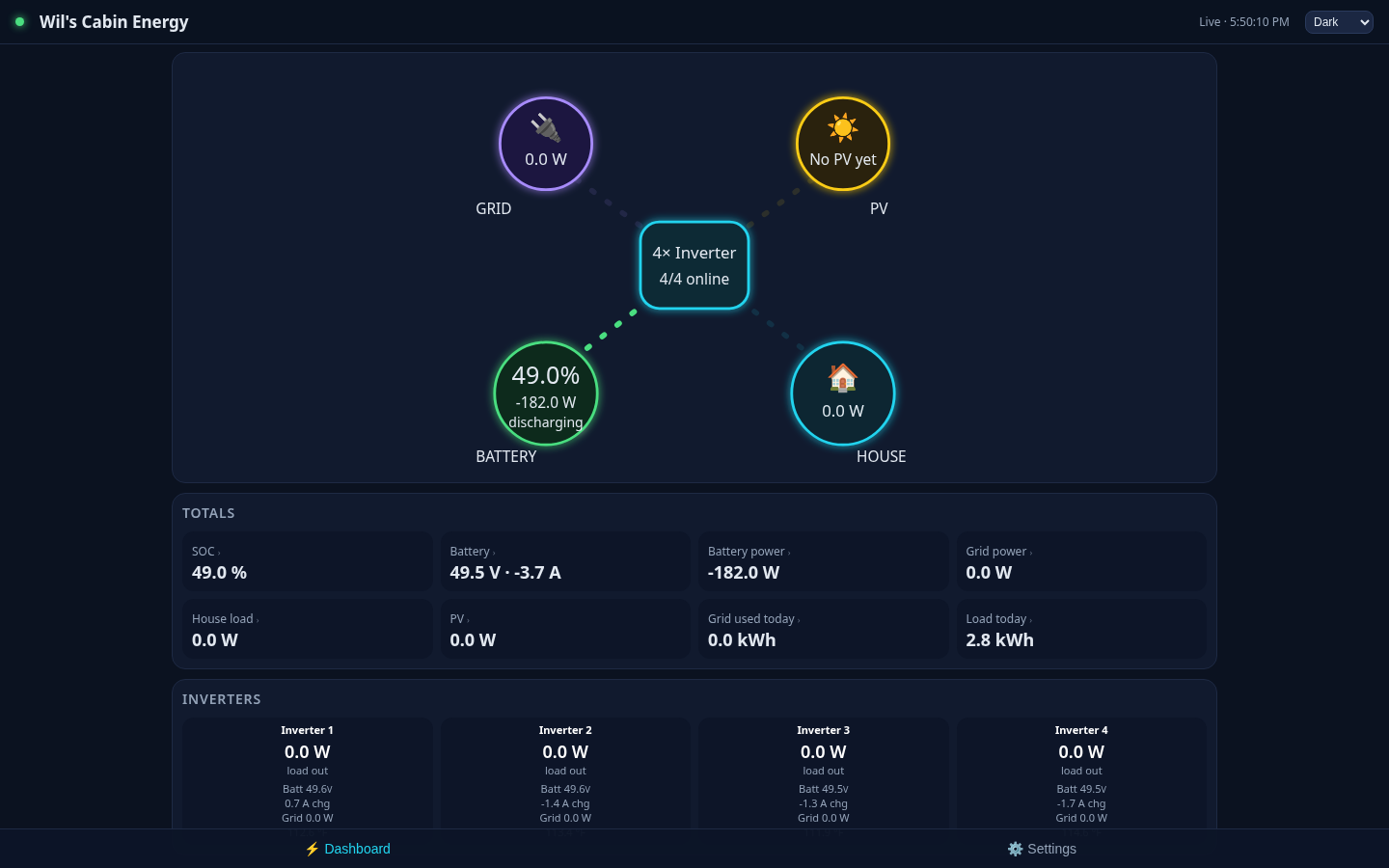
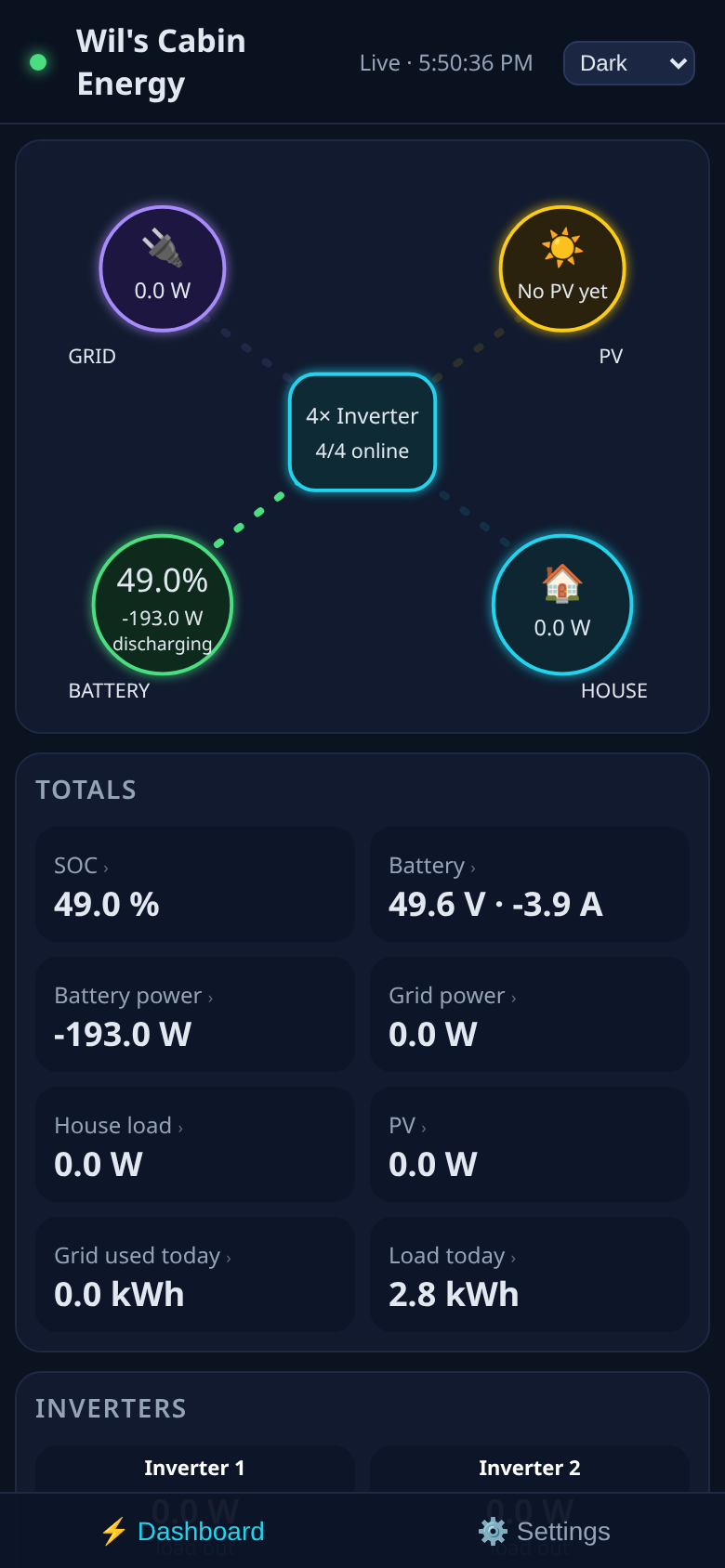
There are two parts: a collector at home and the app on your phone.
Run the installer on any Windows or Mac computer at home. It finds your inverters on its own (Solarman WiFi logger sticks, Modbus TCP, or RS485-to-Ethernet gateways), works out each brand and model, spots parallel setups, starts on boot, updates itself and restarts itself if something fails.
Open the phone app and scan the QR code the collector shows. At home the app talks straight to the collector. Away from home it connects through its built-in Tor, so there's nothing to set up on your router.
Have an old Android phone or tablet in a drawer? Leave it plugged in on your home WiFi and it becomes the collector. You don't need a PC at all.
Simple for everyone, with full detail when you want it.
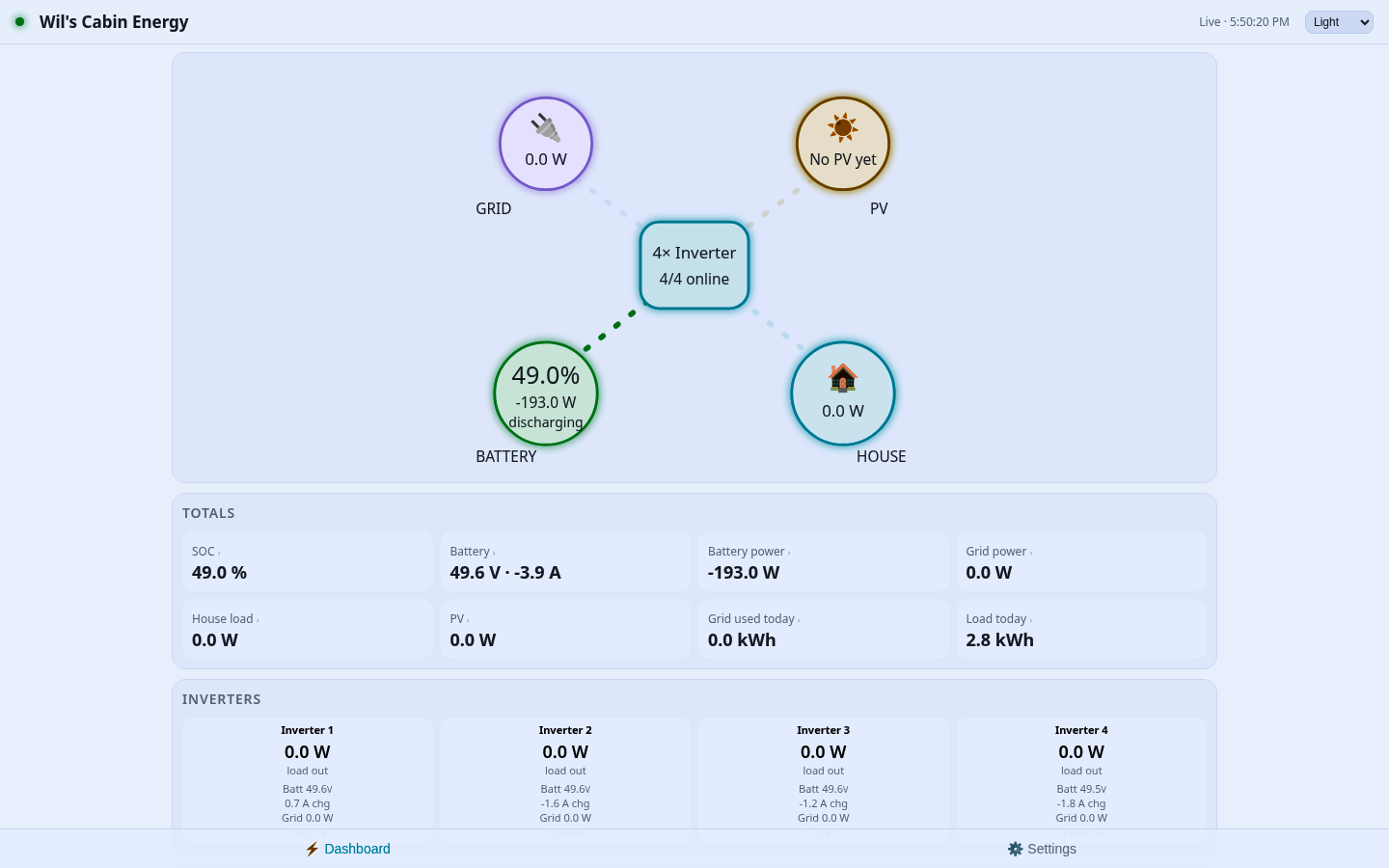
Battery %, solar, load, a green/yellow/red health light and alerts in plain English.
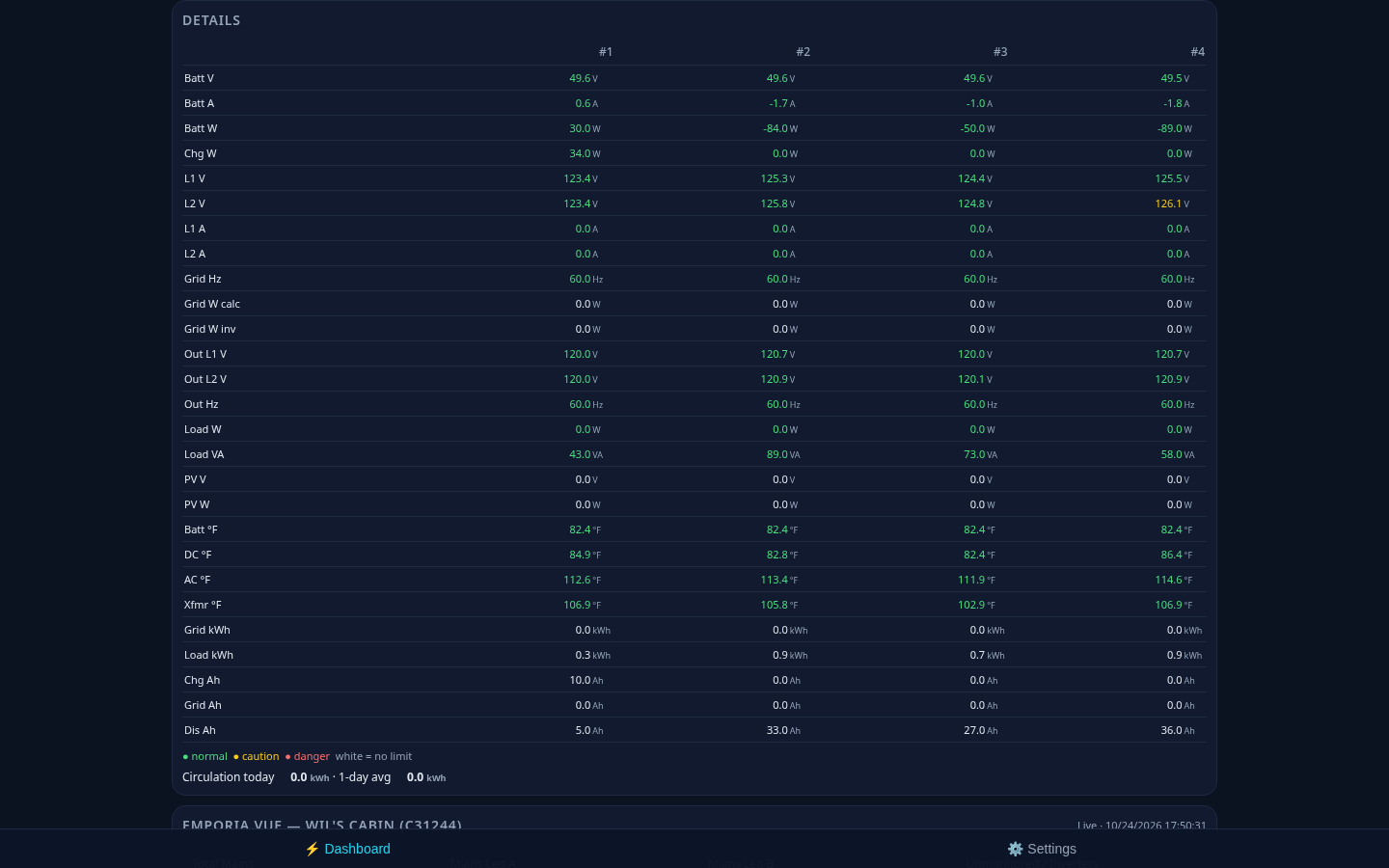
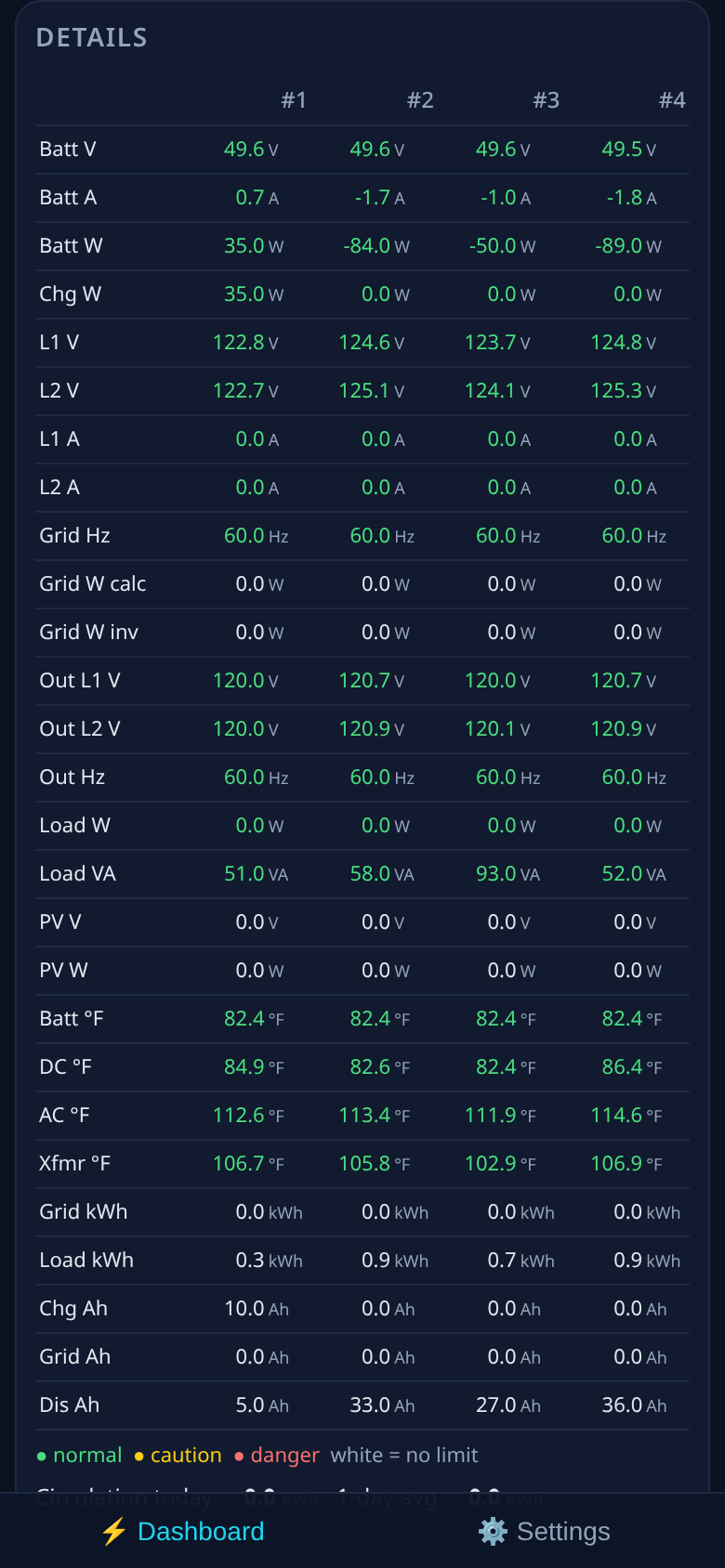
Full details for each inverter, color-coded against safe limits: green is normal, yellow is caution, red is danger.
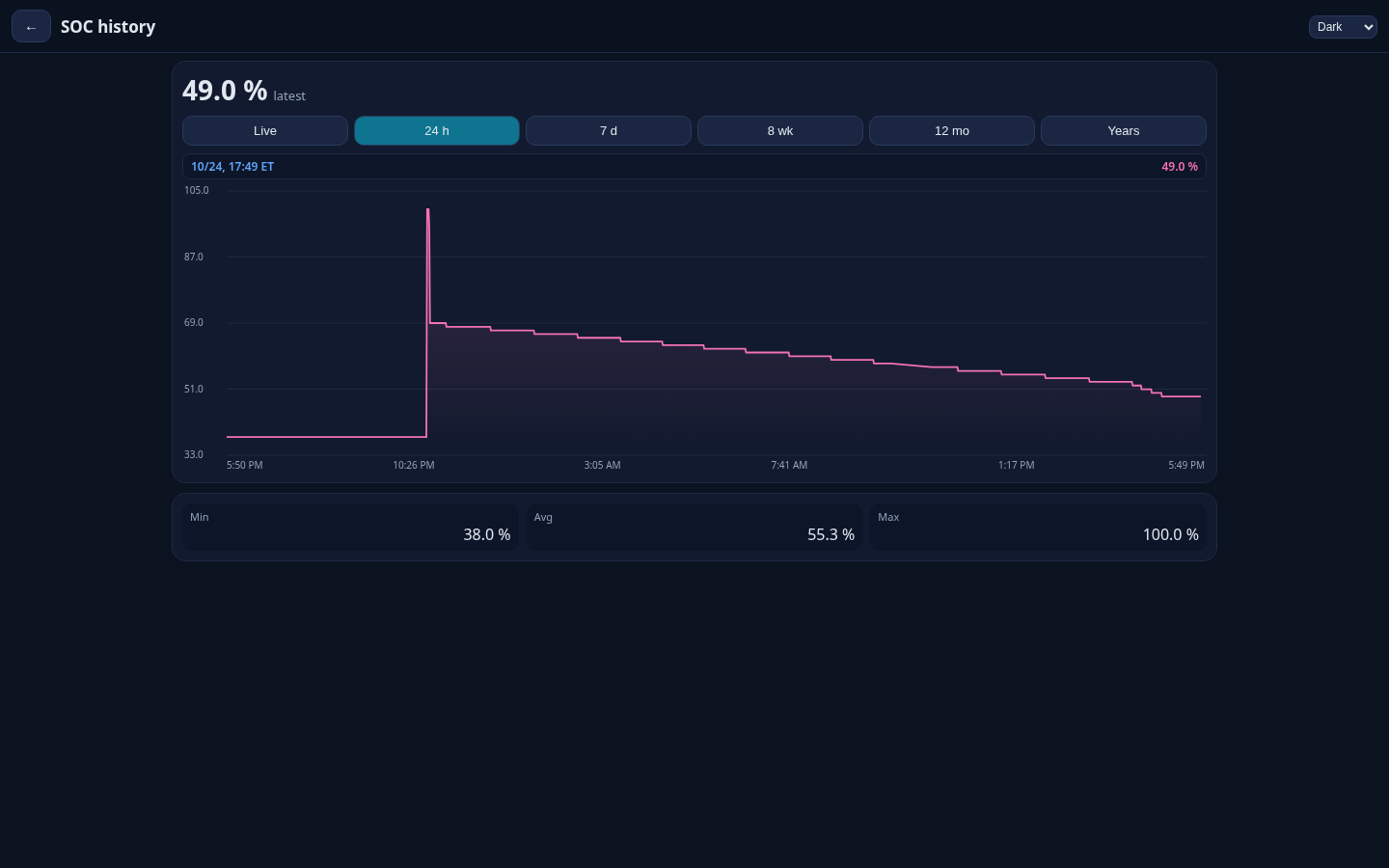
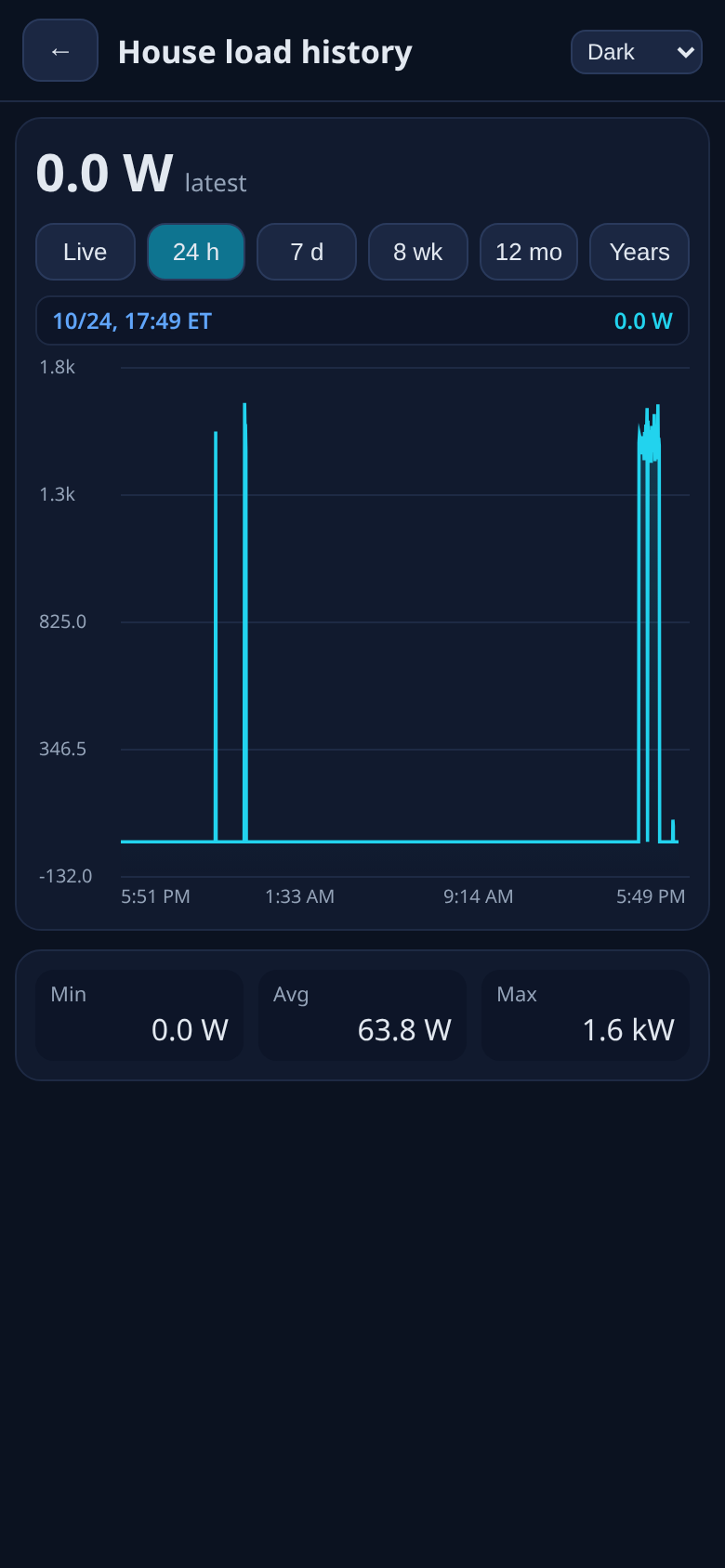
Live, hours, days, weeks, months and years, with a crosshair you drag to read the exact time and value.
Change inverter settings from the app. Every change gets a range check and a confirmation step, then the app reads the value back to verify it and records it in an audit log.
Shows every inverter in a parallel stack, plus totals for the whole system.
One theme setting that applies to every page.
Emporia and Sense (totals) work today, and more are planned. If you don't have one, the section stays hidden.
No cloud account and no relay server. Your data lives on your own collector.
These are real captures from a working off-grid install (four SunGoldPower inverters in parallel).
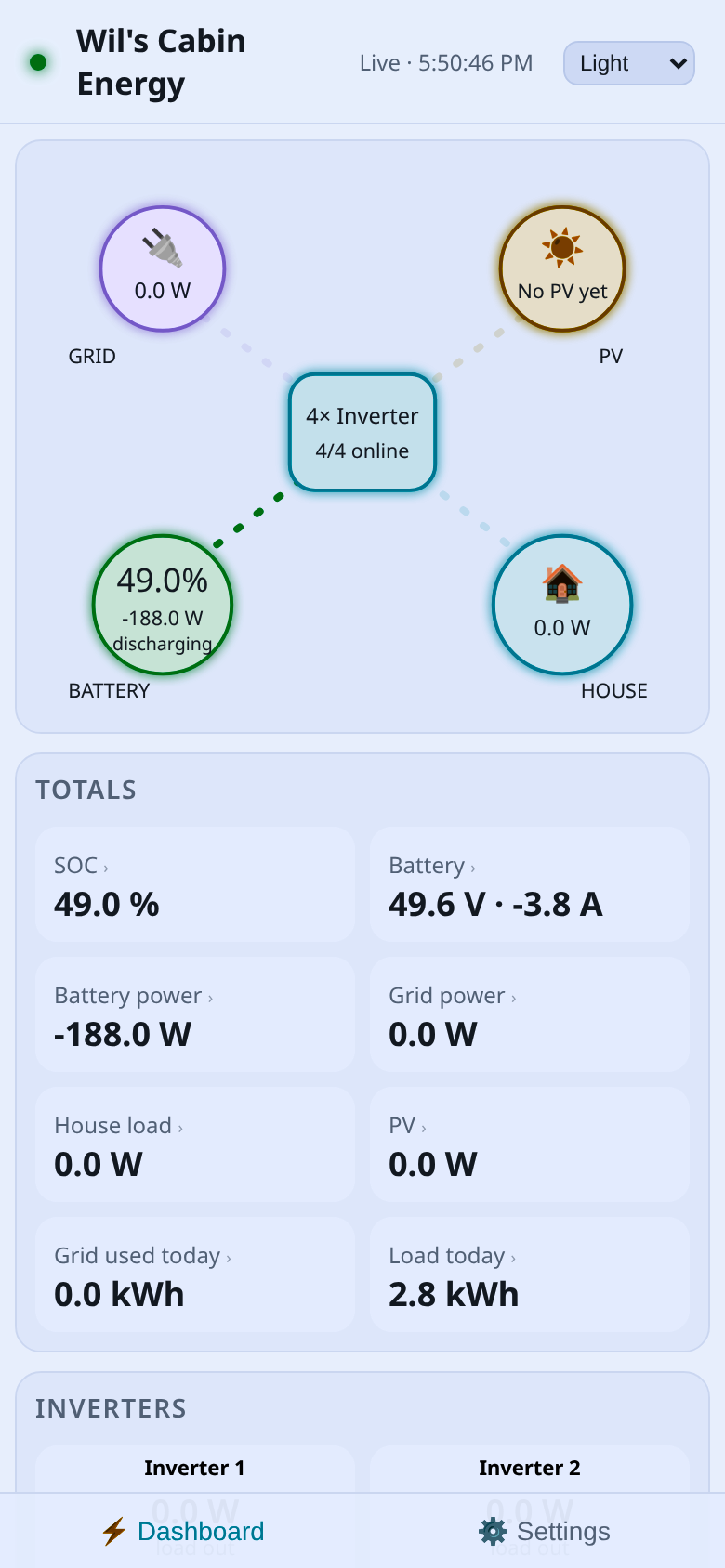
Including the inverters Signature Solar sells. QND finds them on your network by itself, and it only ever reads them.
| Inverter / battery | How it connects | Status |
|---|---|---|
| SRNE / SunGoldPower / Rosen (SPH, ASP, HYP) | Solarman WiFi stick | Supported, tested |
| EG4 18kPV, 12kPV, FlexBOSS21, FlexBOSS18 | EG4 WiFi/Ethernet dongle (found automatically), or RS485 | Beta, untested |
| EG4 6000XP, 12000XP | EG4 WiFi dongle (found automatically), or RS485 | Beta, untested |
| EG4 LL / LL-S / PowerPro batteries | Read through the EG4 inverter (cells, temps, cycles, health) | Beta, untested |
| EG4 3000EHV-48 (SRNE-built) | RS485 adapter | Beta, untested |
| Sol-Ark 5K, 8K, 12K, 15K (and Deye / Sunsynk) | Solarman-style WiFi stick or RS485 | Beta, untested |
| Growatt SPF 3000TL LVM / SPF ES | USB or RS485 cable | Beta, untested |
| Growatt SPH | WiFi stick or RS485 | Beta, untested |
| EG4 GridBOSS | - | Coming soon |
| EG4 6500EX, Voltronic / MPP Solar | - | Coming soon |
| Victron | - | Coming soon |
Beta, untested means the driver follows the published register map and passes our tests, but hasn't been checked on that model yet. If you own one, your report helps. QND Solar Monitor is an independent product and is not affiliated with or endorsed by EG4, Signature Solar, Sol-Ark, Growatt, SRNE or any other maker. Brand names belong to their owners.
Keep the PC on the same home network as your inverters.
You don't need a PC.
It stays on your own collector, your PC or spare phone. There's no QND cloud and no relay server, and we don't store your data.
Tor lets your phone reach your collector from anywhere through an outgoing connection, so you don't need port forwarding, DNS or a static IP. Only phones you've paired by QR code can connect. The trade-off is that the first connection away from home can take a few seconds.
No, never. Start with a 5 Day evaluation period with everything included, email and text alerts too. After 5 days, buy once, on Google Play or the App Store. One purchase covers your phone and your home computer: buy on the phone and the computer program is included, or, once the Mac App Store and Microsoft Store versions arrive (coming soon), buy on the computer and the phone app is unlocked once you pair it. Nobody pays twice. No subscription. The computer program costs nothing to download and has the same 5 Day evaluation period.
Yes, at home. Any browser on your home network can open the dashboard. Away from home you'll need the phone app, because ordinary browsers can't open Tor addresses.
Yes. Settings changes are range-checked and need a confirmation. Then the app reads the new value back from the inverter to verify it and records the change in an audit log.
Yes. Anything reachable on your home network works, including a WiFi logger stick, wired Modbus TCP, or an RS485-to-Ethernet adapter.
Start with a 5 Day evaluation period with everything included, email and text alerts too. After 5 days, buy once, on Google Play or the App Store. One purchase covers your phone and your home computer: buy on the phone and the computer program is included, or, once the Mac App Store and Microsoft Store versions arrive (coming soon), buy on the computer and the phone app is unlocked once you pair it. Nobody pays twice. No subscription. The computer program costs nothing to download and has the same 5 Day evaluation period.
Beta builds. Any computer works with any phone. Setup steps: Windows and Mac.
Home collector. Open QND-Solar-Monitor-Setup.exe and click Install. Your browser opens the guided setup.
Download for Windows (beta)Phone app from Google Play.
Phone app from the Apple App Store.
Home collector. Open the .dmg, drag the app to Applications, then right-click it > Open.
Download for Mac (.dmg) QND Solar Monitor